The short version
- Go to chatgpt.com/business-hub and search for your business.
- Claim the listing ChatGPT already has for you instead of creating a new one.
- Prove the business is yours with a code to the business phone or through your website domain.
- Verify your identity as the owner with a photo ID and a face scan, then enter your EIN.
- Wait for approval. Mine came through in about 10 minutes.
- Add your category, description, photos, and hours.
What to have ready before you start
- The business owner, in person. The identity check matches your photo ID to your face, so nobody else can do this step for you.
- A driver's license, state ID, or passport.
- A phone with a camera, even if you start on a laptop.
- Your business EIN (Employer Identification Number). I had to dig through old files to find ours, so find it first.
- Access to the business phone, or to your website's domain settings.
What ChatGPT Business Hub gives your business
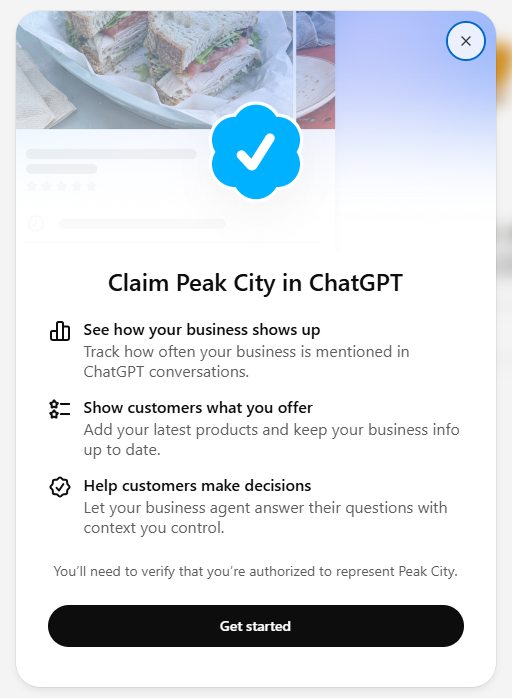
Business Hub is OpenAI's new place for owners to claim and manage how their business appears in ChatGPT. It was still marked as a beta when I went through it. According to the claim screen, a verified listing lets you:
- See how often your business is mentioned in ChatGPT conversations.
- Add your latest products and keep your business info up to date.
- Let your "business agent" answer customer questions with context you control.
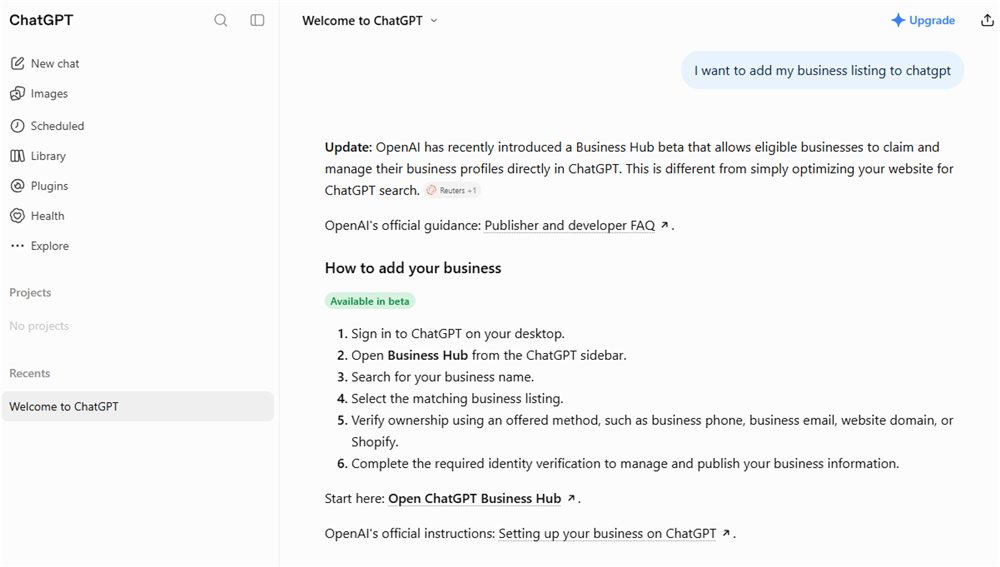
Step 1: Search for your business at chatgpt.com/business-hub
Start at chatgpt.com/business-hub and type your business name. ChatGPT already has listings for a lot of local businesses. When I typed "Peak City Web Design," a listing called "Peak City" at our Apex address came up first, along with a few similar names from other states. If your business doesn't appear, there's an option to create it.
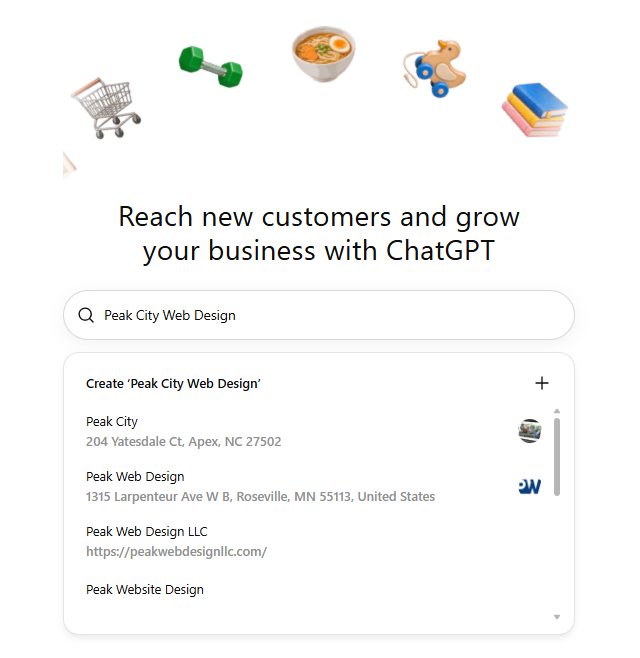
Step 2: Claim your existing listing instead of creating a new one
That "Peak City" name came from Yelp. For about a year, Yelp's automated filters have stripped "Web Design" off our business name because they read it as keyword stuffing, even though it's our real name. ChatGPT pulled the shortened name, along with the rest of our details, straight from Yelp.
I claimed the existing listing anyway. Creating a second "Peak City Web Design" listing next to it would have left two versions of us for ChatGPT to sort out. Fixing the name on one listing beats competing with your own duplicate, so claim what's there and correct it later.
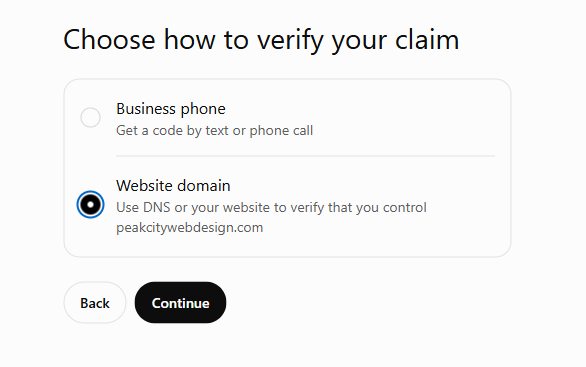
Step 3: Choose how to verify the business
Next, ChatGPT asks how you want to prove you control the business. You can get a code by text or phone call to the business phone, or verify through your website domain, either with a DNS record or something added to your website. We picked the website domain.
Step 4: Verify your identity as the owner
This part was more involved than I expected. I've verified plenty of business listings, and this is one of the only places that asked for my government ID.
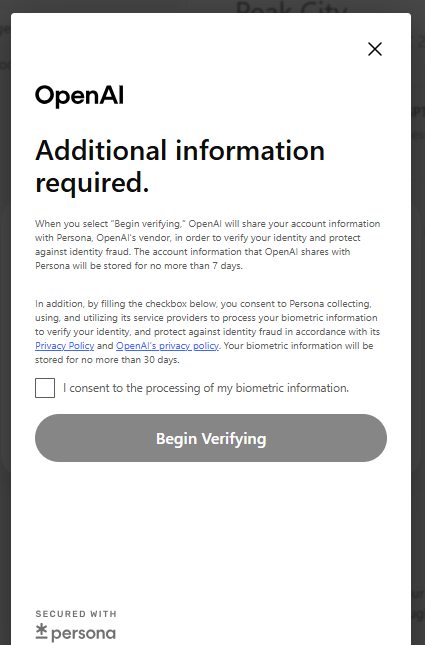
OpenAI runs the identity check through a company called Persona. Before you start, you agree to let Persona process your biometric information. The consent screen says the account info OpenAI shares with Persona is kept for no more than 7 days, and your biometric information for no more than 30 days.
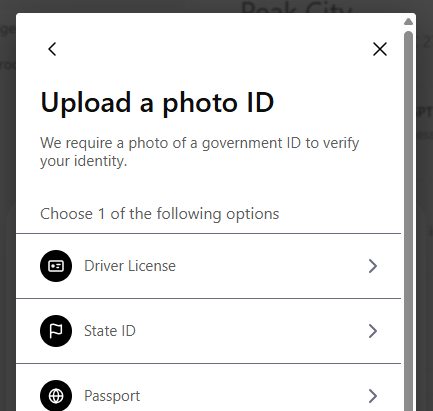
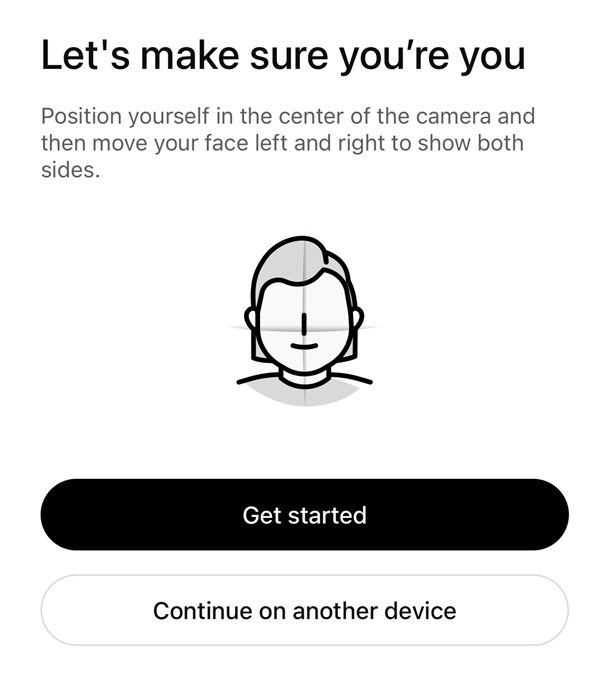
I was on my laptop, and it gave me a QR code to switch to my phone, which made taking photos of the front and back of my driver's license easy. Then it matched the ID to my face: center yourself in the camera, then turn your head left and right.
The ID check cuts both ways. It should keep out a lot of the spam and fake listings that plague other directories. It also means an agency like ours can't verify a listing for a client, and neither can a manager or anyone else on the owner's team. The owner has to be there for this step.
Step 5: Enter your EIN
The last verification step asked for our EIN, the Employer Identification Number the IRS assigned to the business. Once I found it and entered it, I submitted the business for review.
Step 6: Wait for approval
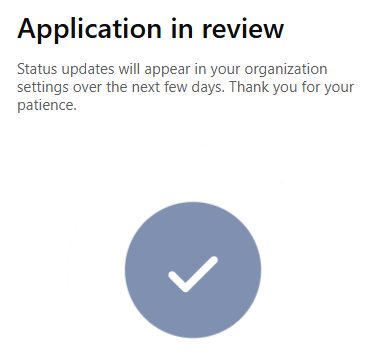
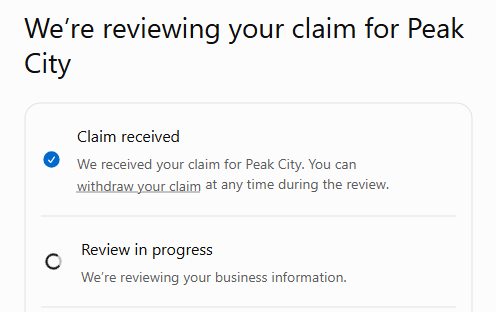
The confirmation screen says status updates can take a few days. Ours didn't. I started writing this article right after submitting, and about 10 minutes later, before I'd finished, an email arrived saying we were verified.
Step 7: Fill out your ChatGPT business listing
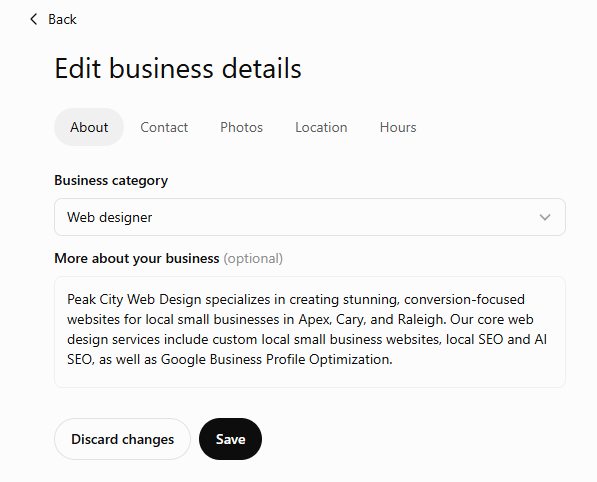
Once you're verified, you can edit the listing. It works a lot like a Google Business Profile: a primary business category, a short description, photos, contact info, location, and hours. We picked "Web designer" as our category.
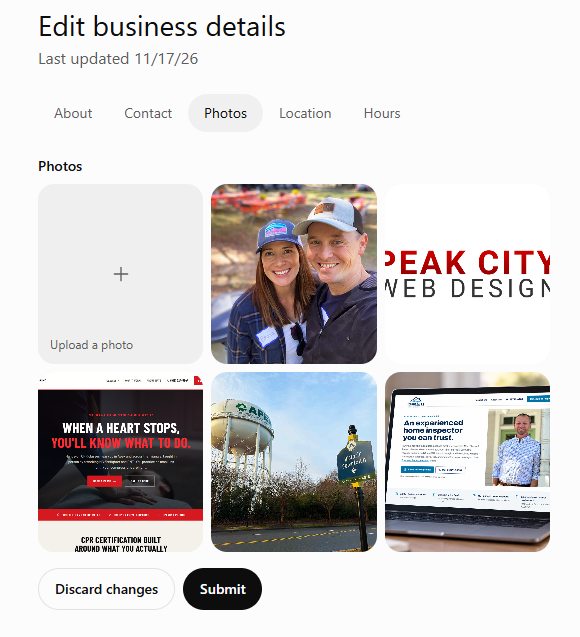
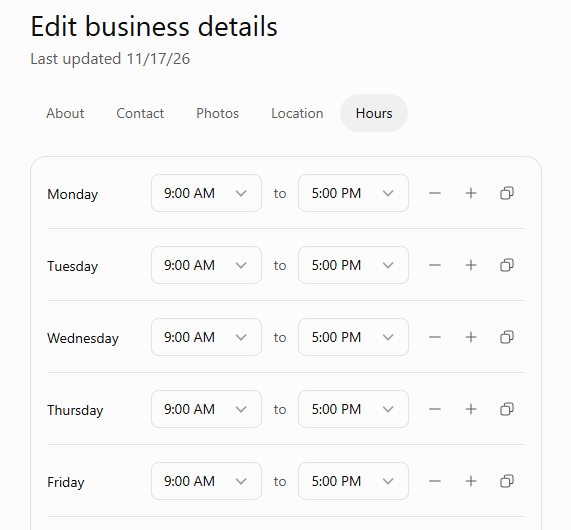
The description is short, around 300 characters. Name what you do and the towns you serve, the same way you would on your Google Business Profile. Use the same real photos, hours, and contact details you have on Google and Yelp, so every source ChatGPT checks agrees.
What changed in ChatGPT after we got verified
Nothing I can see yet. When I ask ChatGPT about our business, it still answers with our Yelp listing data, shortened name included. From what I've seen, ChatGPT pulls most local business information from Yelp, and I've seen Tripadvisor show up for other businesses. My guess is the Business Hub listing gets added to that pool of sources. I'll update this article after I've tested it for a few weeks.
Until then, your Yelp listing still matters for ChatGPT. Our guide to the 9 places your business should be listed covers why, and how to claim Yelp and the others.
Questions about listing your business on ChatGPT
Can my web designer or marketing agency list my business on ChatGPT for me?
Not all the way. The identity check matches a government photo ID to a live face scan, so the owner has to do that step personally. An agency can help you get everything ready and fill out the listing details.
How long does ChatGPT business verification take?
Ours was approved about 10 minutes after we submitted. The confirmation screen says status updates can take a few days, so plan for that.
Where does ChatGPT get local business information?
In our testing, mostly Yelp, with Tripadvisor for some businesses. A claimed Business Hub listing looks like it will be added to those sources.
What do I need to verify my business on ChatGPT?
The owner's driver's license, state ID, or passport, a phone with a camera, your business EIN, and access to the business phone or your website domain.
Where to start
Block out time with the owner, your ID, and your EIN in one sitting, and claim the listing ChatGPT already has for you. Then make sure your Google and Yelp listings say the same thing, since ChatGPT still leans on them.
If your listings are out of date, our Google Business Profile Booster starts at $300, and our Local SEO service covers Yelp, citations, and AI search.
Related: 9 Places Your Small Business Should Be Listed in 2026 · Top 7 Local SEO Tips for Small Businesses in 2026